
$246.48
Add to Cart
Anet A8 with Included Filament - Prusa i3 DIY 3D Printer - Prints ABS, PLA, and Lots More
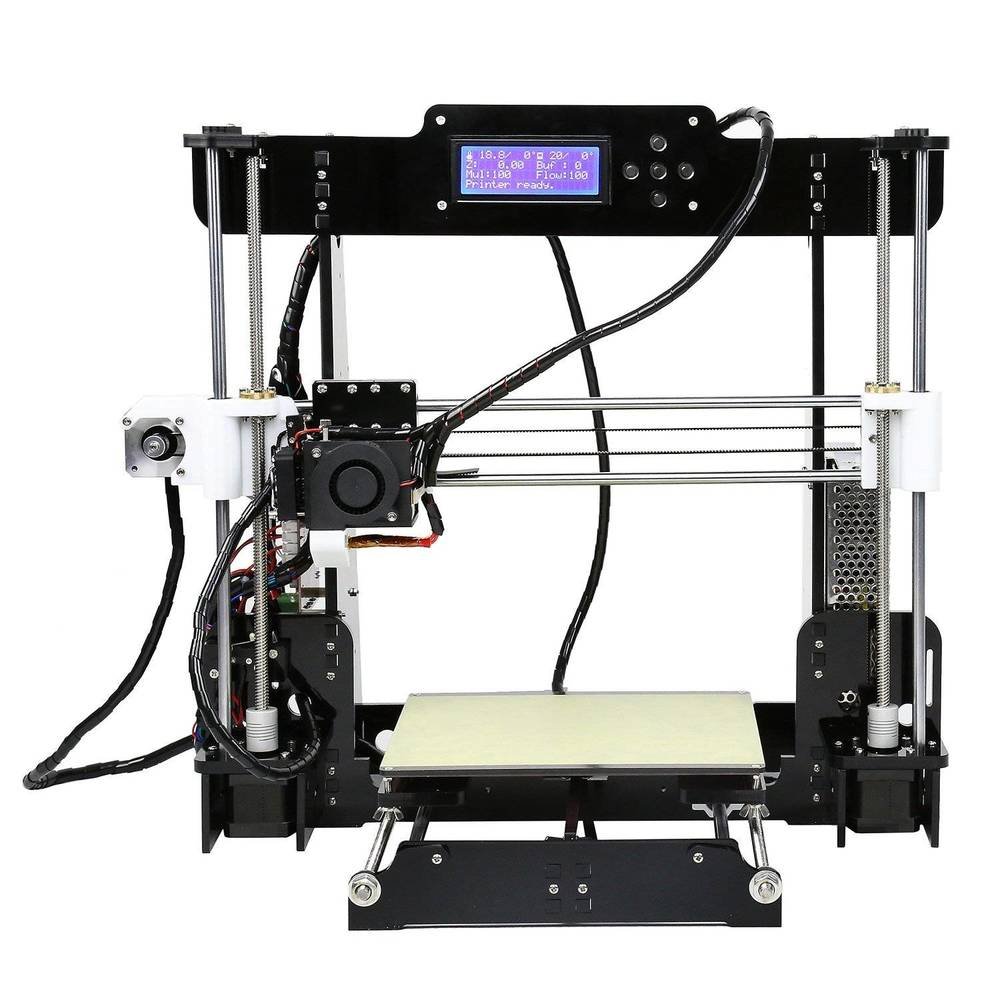
Only 1 available
Details
Shipping: Australia: free (more destinations)
Condition: Brand new
*The store has not been updated recently. You may want to contact the merchant to confirm the availability of the product.


What is Anet A8? Anet A8 is completely do it yourself 3D printer, priced at around 170-200$. When fully assembled it enables you to print 3D objects from different kind of materials and create 3D objects of any shape. It can use different types of materials to print, though it works best with PLA and ABS.
Below is a table with Anet A8 specs.
Printer size 510 x 400 x 415 mm
200.8 x 157.5 x 163.7″
Packgage size 510 x 400 x 415 mm
204.7 x 137.8 x 86.6″
Printer Weight 8.5 kg
300 oz″
Package Weight 9.120 kg
322 oz
Print Area 220 x 220 x 240mm
86.6 x 86.6 x 9.45″
Print speed 100 mm/s
Nozzle diameter 0.4mm
Layer thickness 0.1-0.3mm
XY-axis positioning accuracy 0.012 mm
Z-axis positioning accuracy 0.004 mm
Material diameter 1.75mm
Printer Frame Material Acrylic
Platform board material Aluminum
Operating Temperature Range 10 to 30°C
Supported file formats G-code, OBJ, STL
Pre-Assambled No
LCD Screen Yes
How it works?
In laymen words, Anet A8 3D printer works like any 3D printer. Here is an overview of Anet A8 basic elements.
Provided that you previously calibrated the printer, here are the steps :
1-You power it on.
2-Pre-heat it depending on the material you use. (Quick Setting> Pre-heat PLA/ABS)
3-You insert a filament inside the extruder hole. This can be tricky and take a while to master.
4-You select an object from an SD card by going to SD Card > Print a file
5-Printer per-heats once again and start's printing.
6-Extruder pulls the filament into a tiny screw which has a ptfe pipe and guides it to heat end and a nozzle where filament (material) melts at a certain point.
7-Printer moves onto X,Y and Z axis and adds melted filament layer by layer onto a heat bed.
8-Once the printing is finished, you will see 100% on the screen and printer will become idle.
9-You can remove the 3d printed object from the heat bed.
A look at the opened extruder of Anet A8 printer
Imagine a regular PC printer. It prints ink onto a piece of paper. Well 3D printer does the same. It prints melted material onto a heat bed. The only difference is that regular printer does not move up, where as 3D printer moves around it's X axis, applying material one layer over another.
Below is a table with Anet A8 specs.
Printer size 510 x 400 x 415 mm
200.8 x 157.5 x 163.7″
Packgage size 510 x 400 x 415 mm
204.7 x 137.8 x 86.6″
Printer Weight 8.5 kg
300 oz″
Package Weight 9.120 kg
322 oz
Print Area 220 x 220 x 240mm
86.6 x 86.6 x 9.45″
Print speed 100 mm/s
Nozzle diameter 0.4mm
Layer thickness 0.1-0.3mm
XY-axis positioning accuracy 0.012 mm
Z-axis positioning accuracy 0.004 mm
Material diameter 1.75mm
Printer Frame Material Acrylic
Platform board material Aluminum
Operating Temperature Range 10 to 30°C
Supported file formats G-code, OBJ, STL
Pre-Assambled No
LCD Screen Yes
How it works?
In laymen words, Anet A8 3D printer works like any 3D printer. Here is an overview of Anet A8 basic elements.
Provided that you previously calibrated the printer, here are the steps :
1-You power it on.
2-Pre-heat it depending on the material you use. (Quick Setting> Pre-heat PLA/ABS)
3-You insert a filament inside the extruder hole. This can be tricky and take a while to master.
4-You select an object from an SD card by going to SD Card > Print a file
5-Printer per-heats once again and start's printing.
6-Extruder pulls the filament into a tiny screw which has a ptfe pipe and guides it to heat end and a nozzle where filament (material) melts at a certain point.
7-Printer moves onto X,Y and Z axis and adds melted filament layer by layer onto a heat bed.
8-Once the printing is finished, you will see 100% on the screen and printer will become idle.
9-You can remove the 3d printed object from the heat bed.
A look at the opened extruder of Anet A8 printer
Imagine a regular PC printer. It prints ink onto a piece of paper. Well 3D printer does the same. It prints melted material onto a heat bed. The only difference is that regular printer does not move up, where as 3D printer moves around it's X axis, applying material one layer over another.
 AE, Dubai